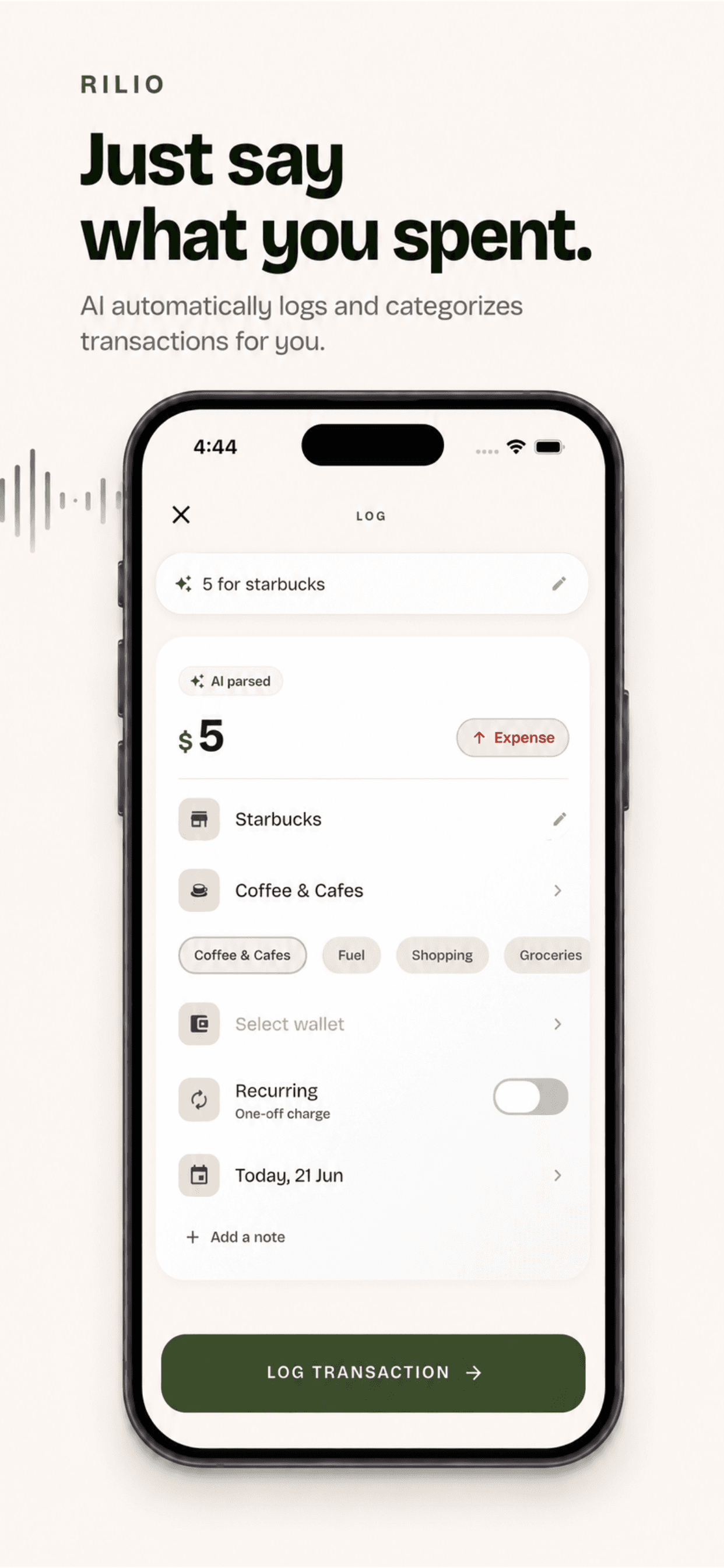
Log it the moment it happens.
At the counter, before you've even pocketed your phone, type it, say it, or paste the bank text. “Coffee, 4 bucks” is enough.
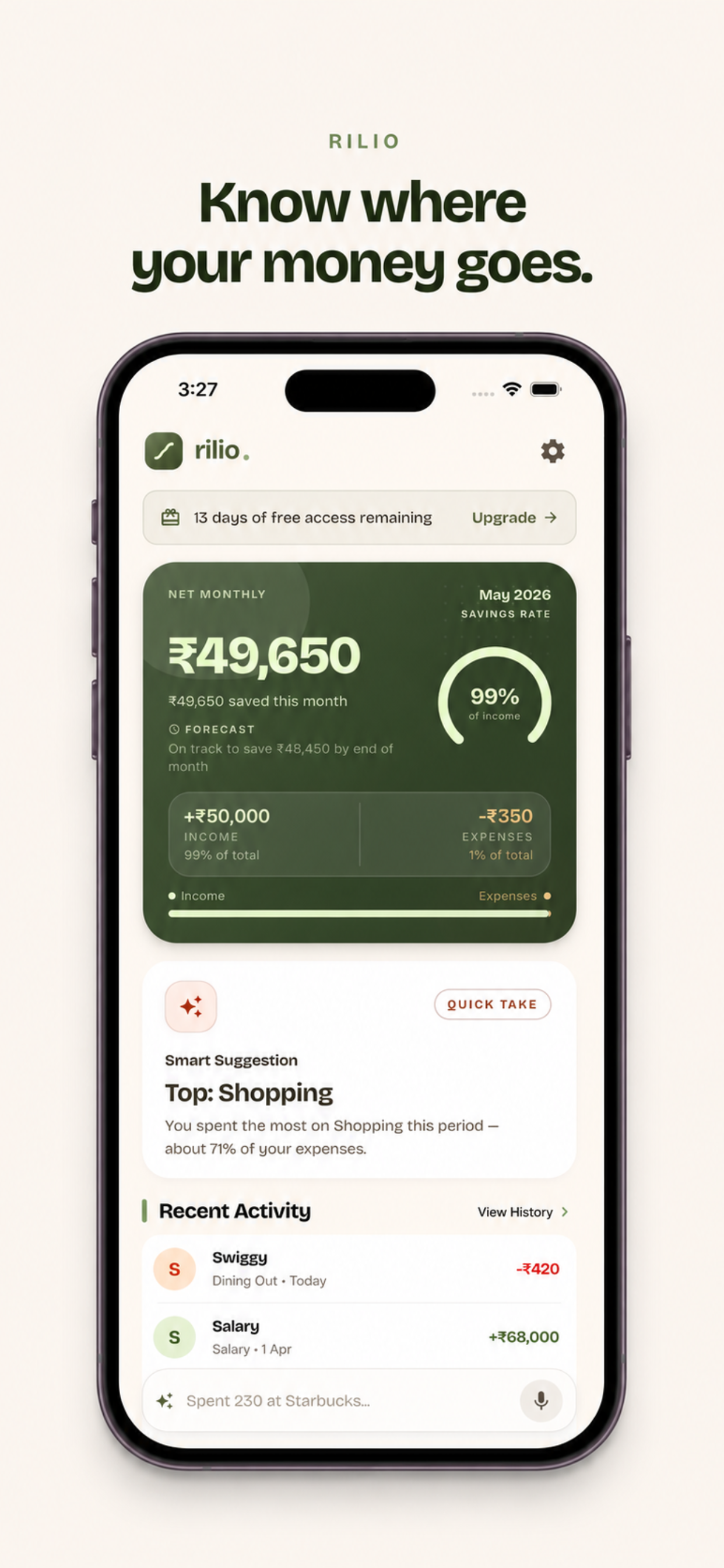
Your salary lands, and three weeks later you can't say where half of it went. rilio finally answers that: where it really goes, in plain numbers you can actually trust, with no bank login and no spreadsheet. Logging a spend takes five seconds. The AI does the rest.
About a coffee a month, and a lot less than not knowing.


On a computer? Scan to open rilio on your phone.
7-day free trial · No bank login, ever · On iOS & Android
The spending was never the hard part. Not knowing is the part that quietly costs you, month after month.
Your salary lands and everything feels fine. Then it's the 22nd, the balance is thin, and you genuinely can't account for where most of it went.
You download a tracker, hit the “connect your bank” screen, and quietly close it. Finding out where your money goes shouldn't cost you your banking login.
The subscription you forgot. The daily delivery. The “it's only a few dollars” taps. None of it feels big in the moment, and you never see the total.
I built rilio to end that exact feeling, so the next time you wonder where it all went, you just open the app and see.
No bank connection. No setup. No weekly admin to keep up with. This is the entire app.
At the counter, before you've even pocketed your phone, type it, say it, or paste the bank text. “Coffee, 4 bucks” is enough.
rilio reads the amount, the merchant, and the category, and sorts it into Food, Rent, Travel, and the rest. You never touch a dropdown.
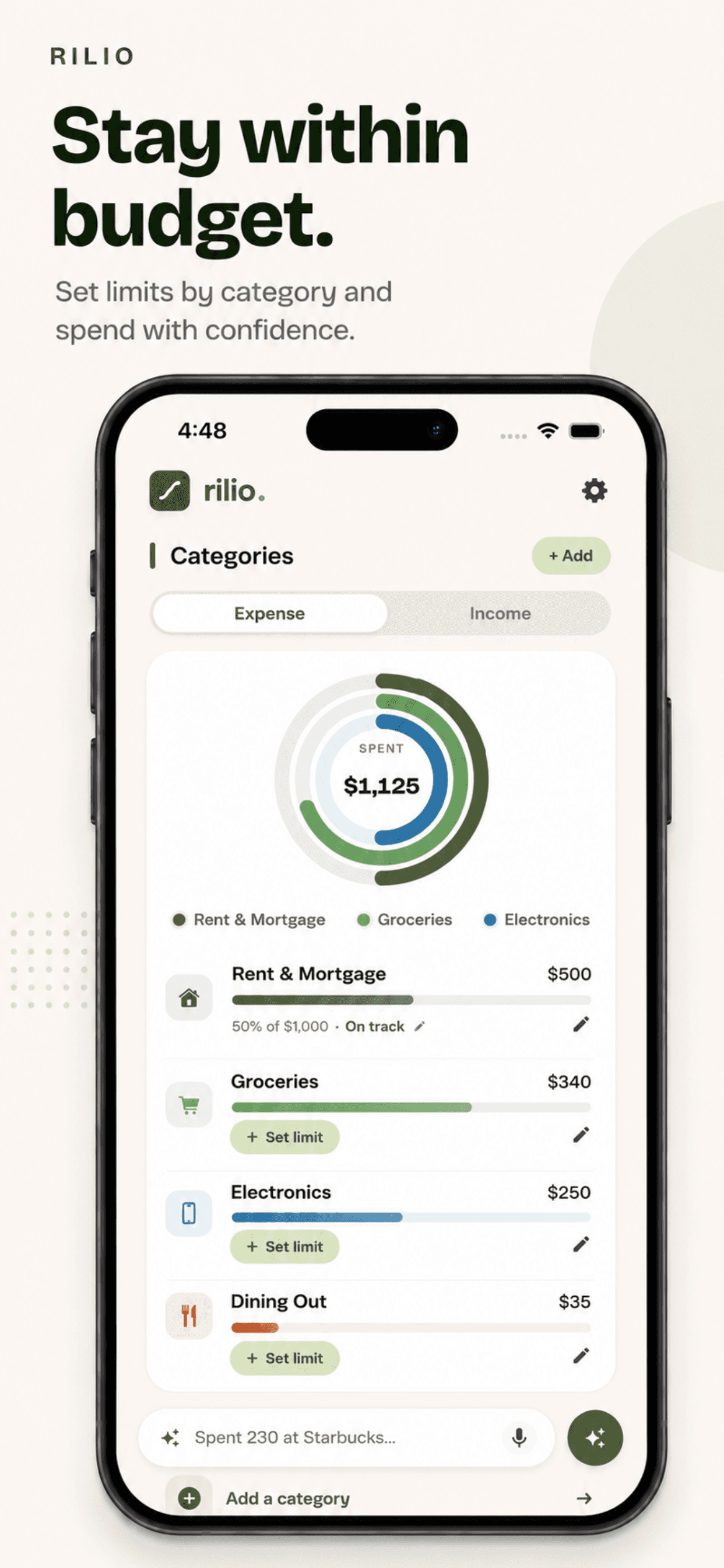
Open rilio and there it is: where your money actually went this month, in plain numbers. No dread, no guessing.
Five ways in, whichever is fastest in the moment. Pick one and watch it actually happen.
Write it the way you’d tell a friend: “spent 12 on lunch”. rilio’s AI pulls out the amount, the place, and the category. No forms, no dropdowns.
And on iPhone, a fifth way: set rilio as a Back Tap shortcut, then double-tap the back of your phone to log in an instant.
“Spent $12 at Chipotle”
“Forty bucks on gas”
Trips, flats, roommates, the group dinner that someone always covers. rilio keeps the running tally so no one has to do the awkward math, or the awkward reminder.
Spin up a shared group with a name and an icon, add up to 50 people, and see it all at a glance: total spend, who paid, and exactly what you owe or you're owed. A gentle fairness hint even nudges whose turn it is to pay next.
Log who paid, pick exactly who's in, then split evenly or enter exact amounts — with live math as you type. Remainders are divided so the balances always reconcile to zero.
rilio simplifies a web of debts into the fewest transfers — three payments become one. Mark cash as paid, or settle by UPI in India: it opens your app prefilled with amount, payee, and memo.
Share a branded link that works on WhatsApp, Telegram, anywhere. Friends who aren't on rilio yet see a preview of the group before they join — or they can paste a code by hand.
Set rent, utilities, or streaming to post themselves — weekly, biweekly, monthly, quarterly, or annually. Pause and resume whenever plans change.
Total spend, average, and the largest expense, broken down by category and by who paid. Export the whole ledger to CSV or PDF when you need the receipts.
Each group is locked to a single currency at creation, so everyone sees the same numbers — no guessing exchange rates, no confusion at settle-up.
Every line below is something the others got wrong, and something I refused to ship in rilio.
I'm not a bank, and I'm not chasing your data. I built rilio because I wanted it myself: a way to see where my money goes without handing my bank login to strangers.
— NikethA little bit about why I built it.
I downloaded 11 expense apps in 2 years. I deleted every single one within a week.
Not because I'm bad with money. Because every one of them made me work just to log a coffee.
The closest thing to frictionless I ever found? Apple Notes.
So I built rilio. You log expenses the way you'd text yourself: voice or type, done in seconds.
This is the app I needed, so I built it.
If you like rilio, check out my other project: FeedbackDock.
 NikethDeveloper
Download rilio, log your first expense in the next five seconds, and let this be the month you actually find out. Free for 7 days, then $4.99 a month if it earns its place.